Dataset History
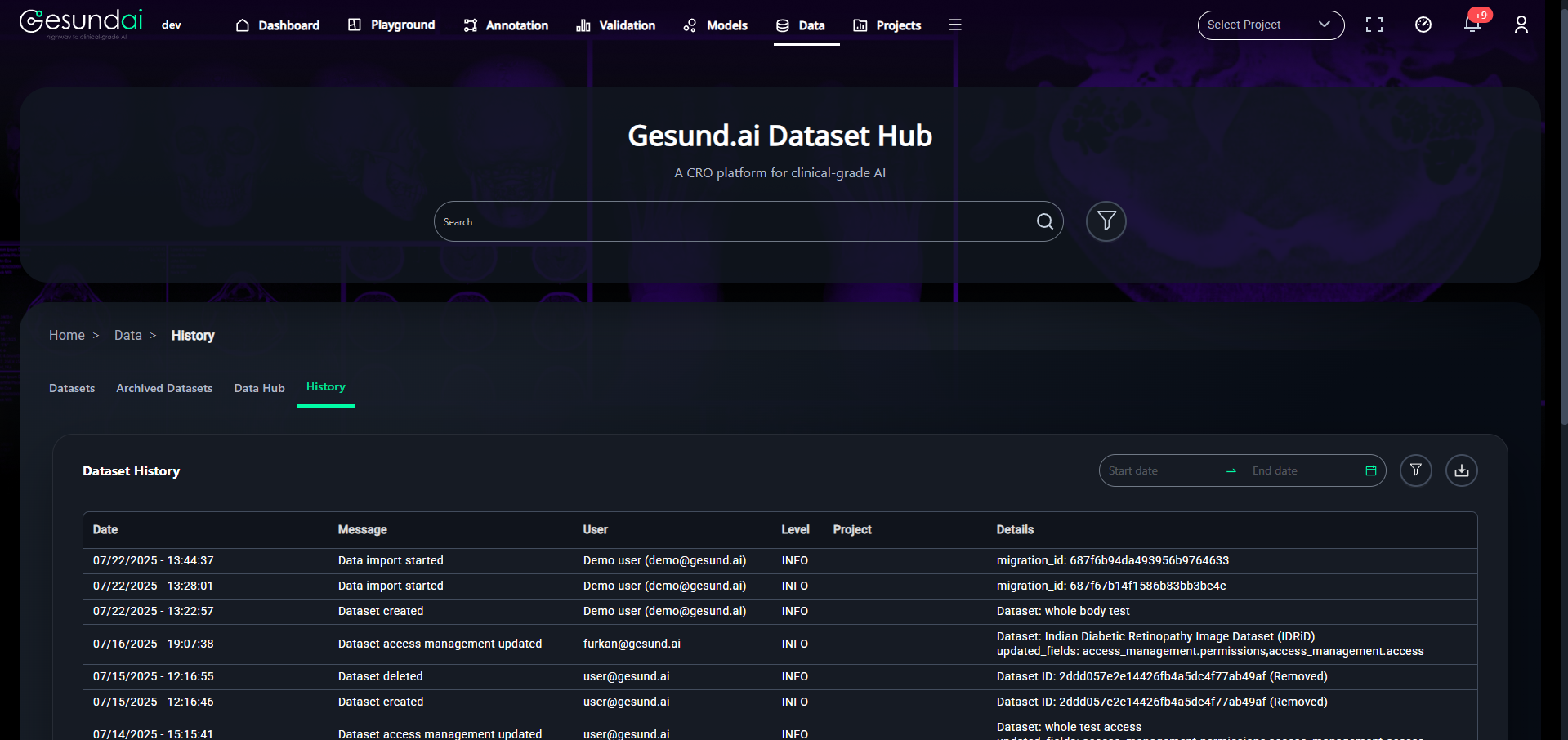
The History tab provides a chronological record of all actions taken on a dataset. This includes creation, updates, access modifications, deletions, and import events — helping users track the full lifecycle of a dataset.
Key Features
- Timestamped Logs: Every event includes an exact timestamp for transparency.
- Action Message: Describes what operation was performed (e.g., "Dataset created", "Access updated").
- User Tracking: Identifies which user performed the action.
- Level: Typically set to
INFOto indicate non-critical events. - Details: Shows additional information like dataset ID, updated fields, or migration ID.
Use Cases
- Audit trail: Understand who modified access, uploaded metadata, or deleted a dataset.
- Debugging: Investigate issues related to dataset visibility or validation failures by reviewing recent history.
- Project collaboration: Track changes made by teammates to stay informed on shared datasets.
Date Range Filter
Use the Start date and End date selectors at the top right to filter the logs within a specific time frame.
You can also click the funnel icon to refine your search based on action types or users.
Example Entry
| Date | Message | User | Project | Details |
|---|---|---|---|---|
| 07/22/2025 - 13:22 | Dataset created | demo@gesund.ai | — | Dataset: whole body test |
| 07/16/2025 - 19:07 | Dataset access management updated | furkan@gesund.ai | — | Dataset: IDRiD - updated_fields: access_management.permissions, access |
This tab ensures transparency and accountability for all dataset-related operations on the platform.